You can add your own recipes to MealPrepPro, which is perfect for those favorite go-to breakfasts, lunches, dinners, or snacks you make regularly.
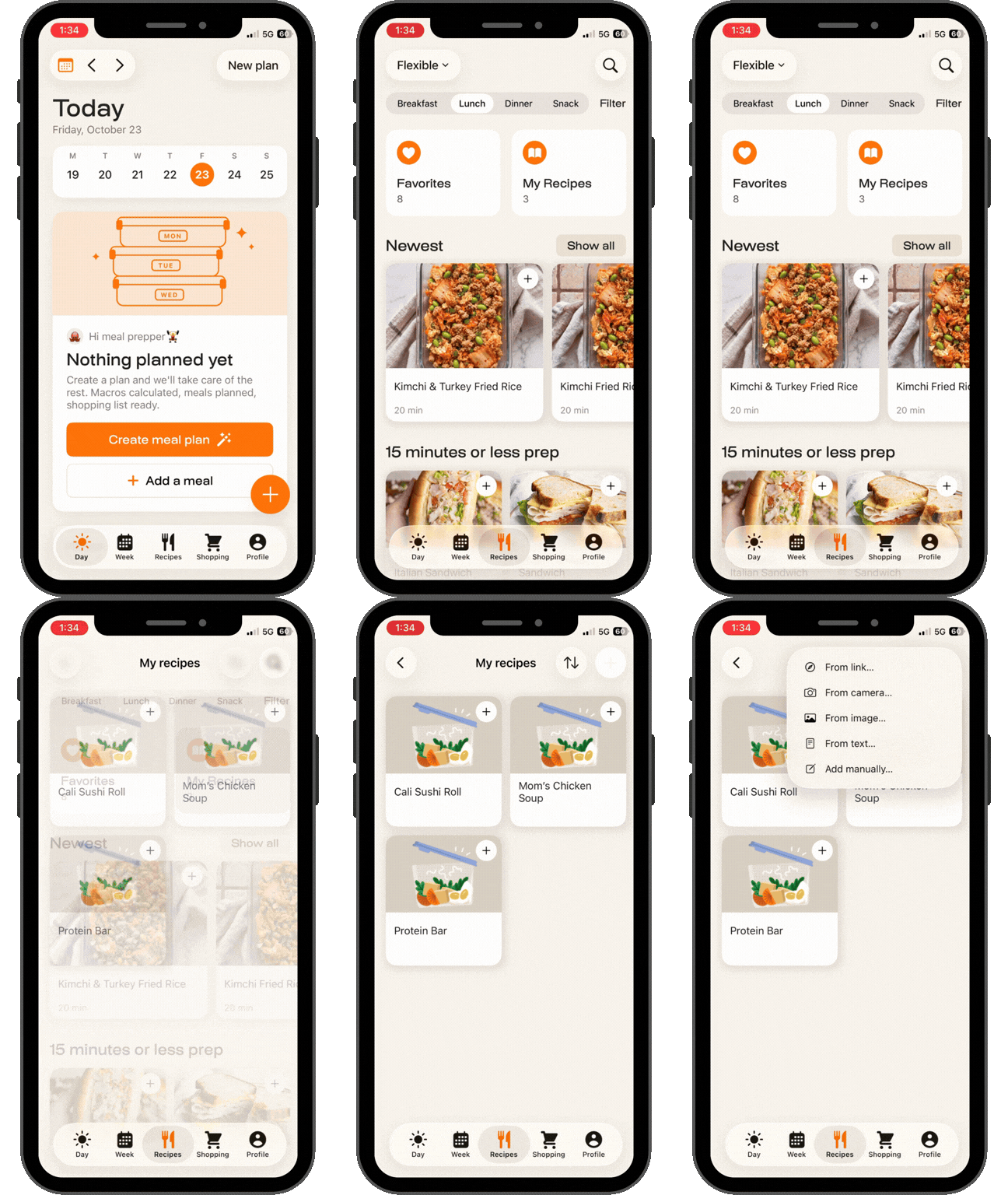
To import a recipe:
Tap Recipes.
Go to the My Recipes section.
Tap the + in the top right.
Choose how you'd like to import your recipe and follow the prompts.
Once you've added your recipe, you can add it to your meal plan just like any other recipe in MealPrepPro.