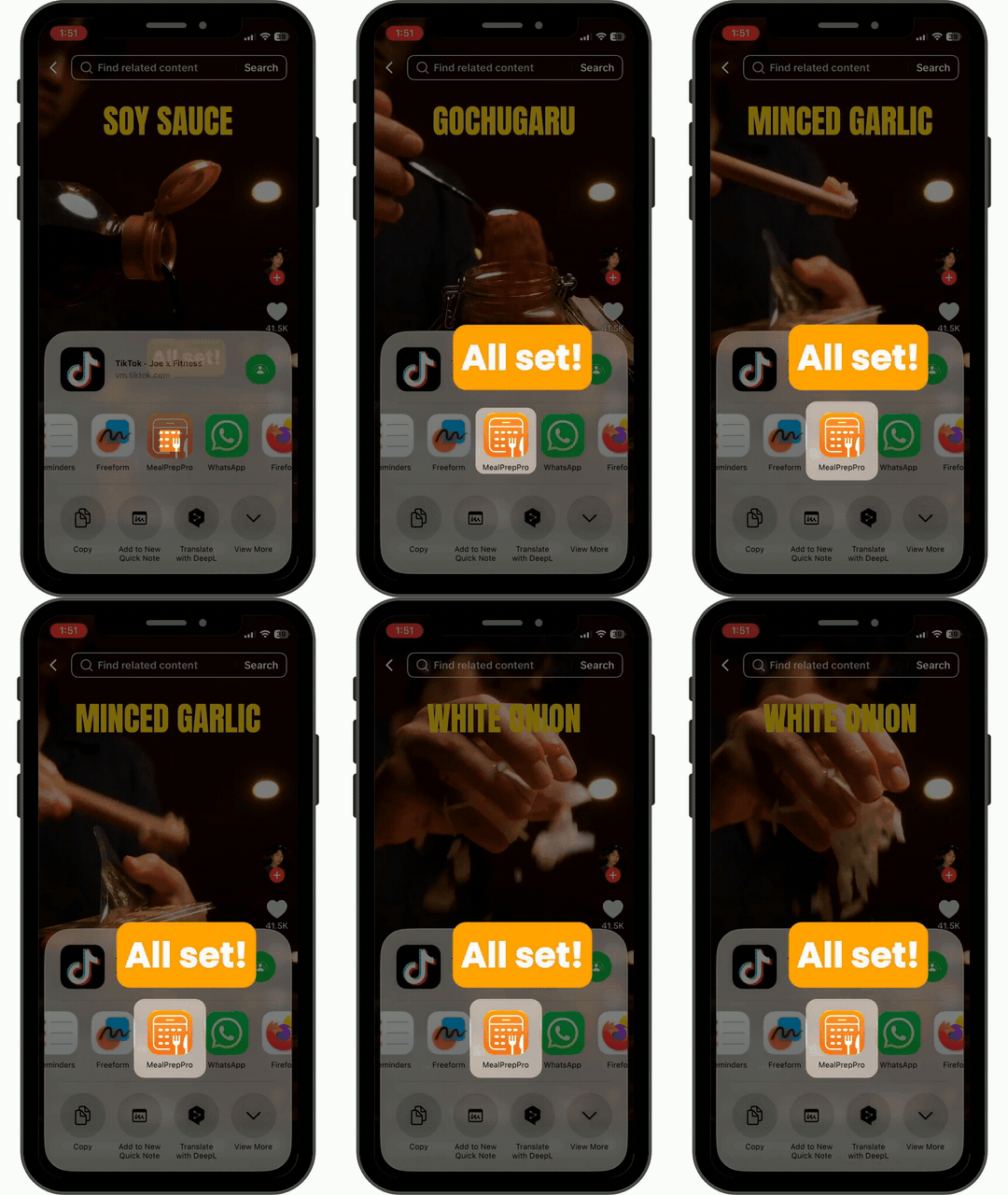
Found a recipe on TikTok that's calling out your name? Import it with just a few taps 🎉
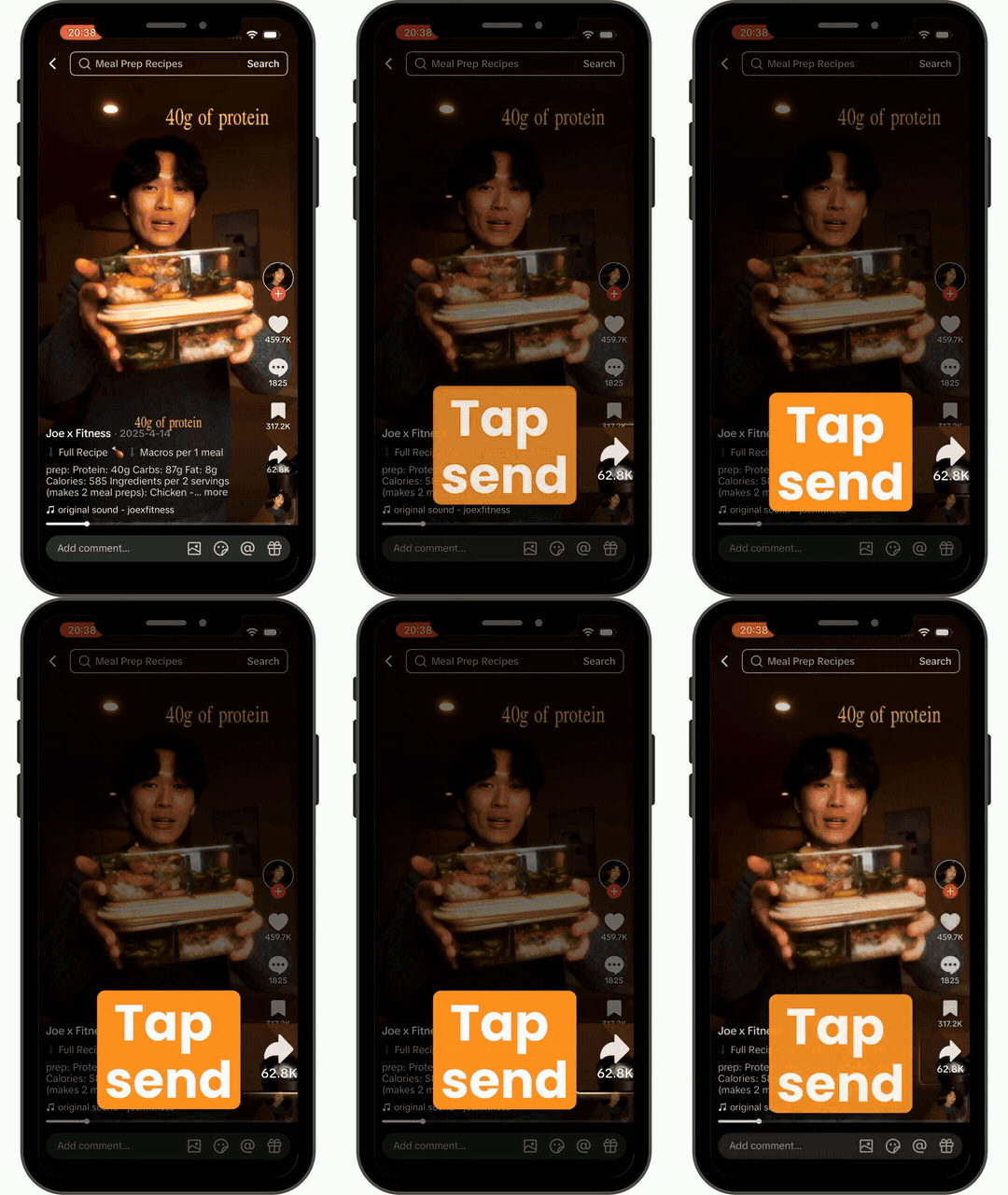
Step 1
Tap the Send button.
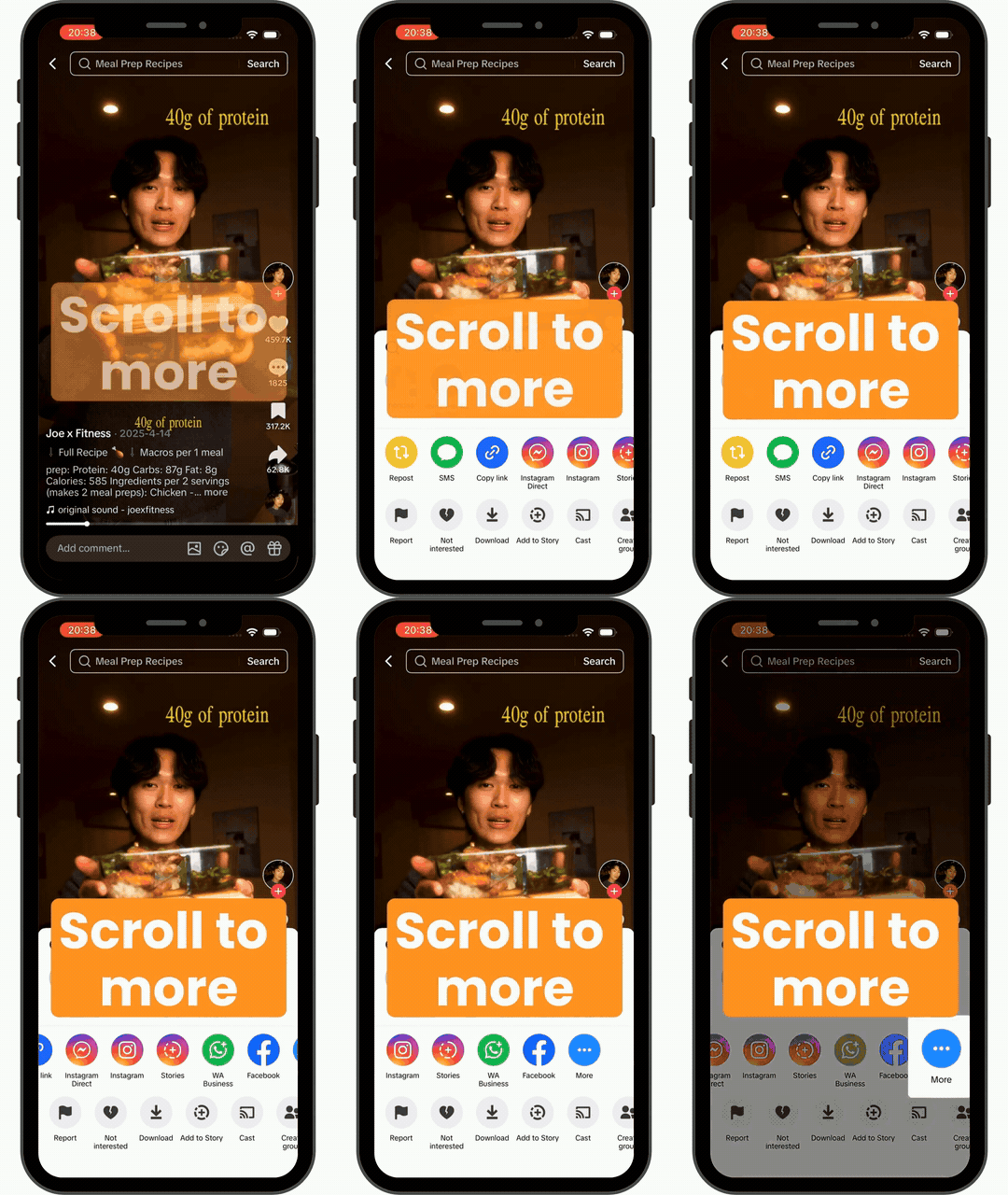
Step 2
Scroll to More.
Step 2
Select MealPrepPro to import.
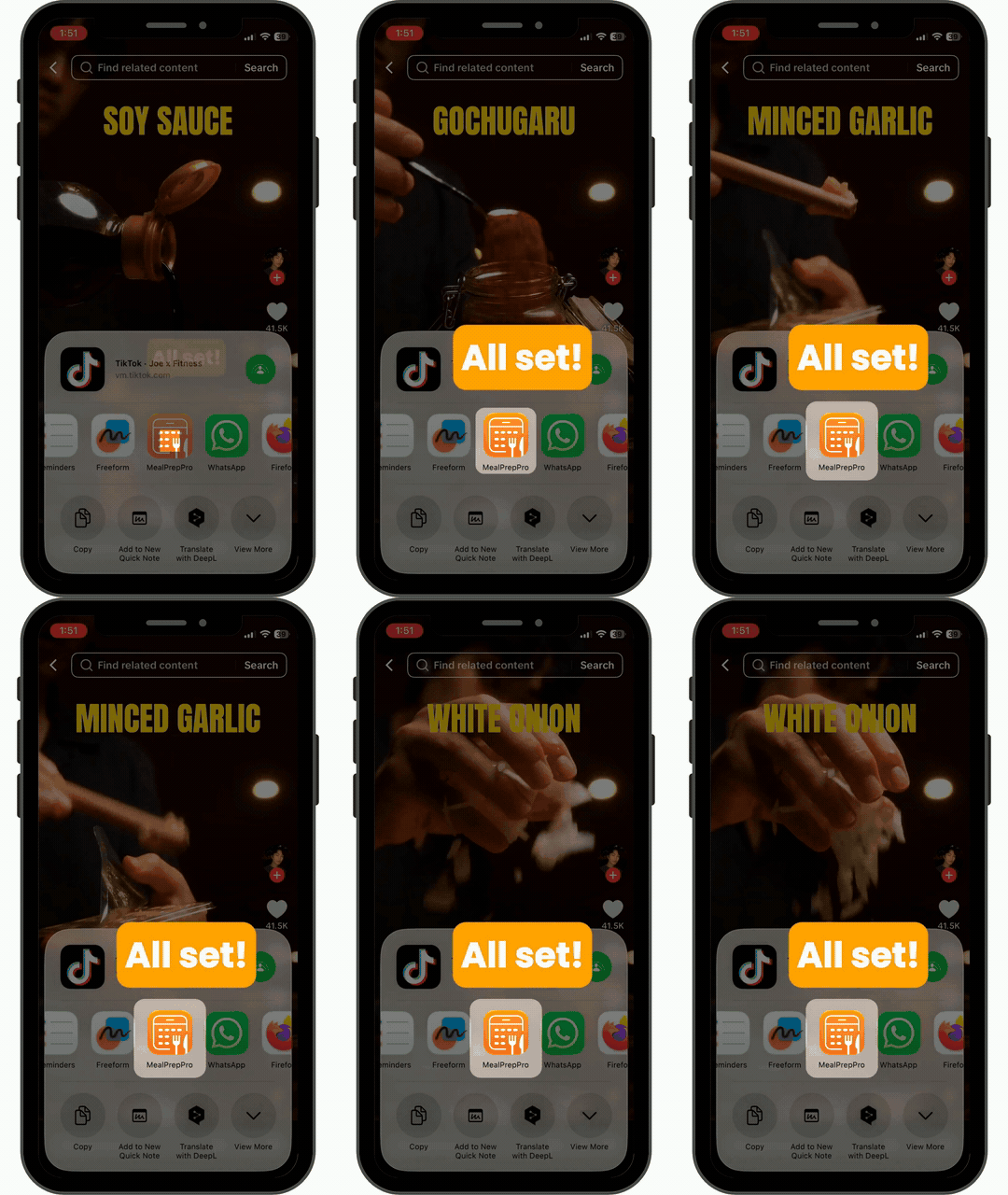
That’s it 🙌 Your recipe will be imported into the app and ready to cook!
Don’t see MealPrepPro as an option to share?
Check out below how you can add MealPrepPro to your share shortcuts!
Step 1
Start by tapping on Send.
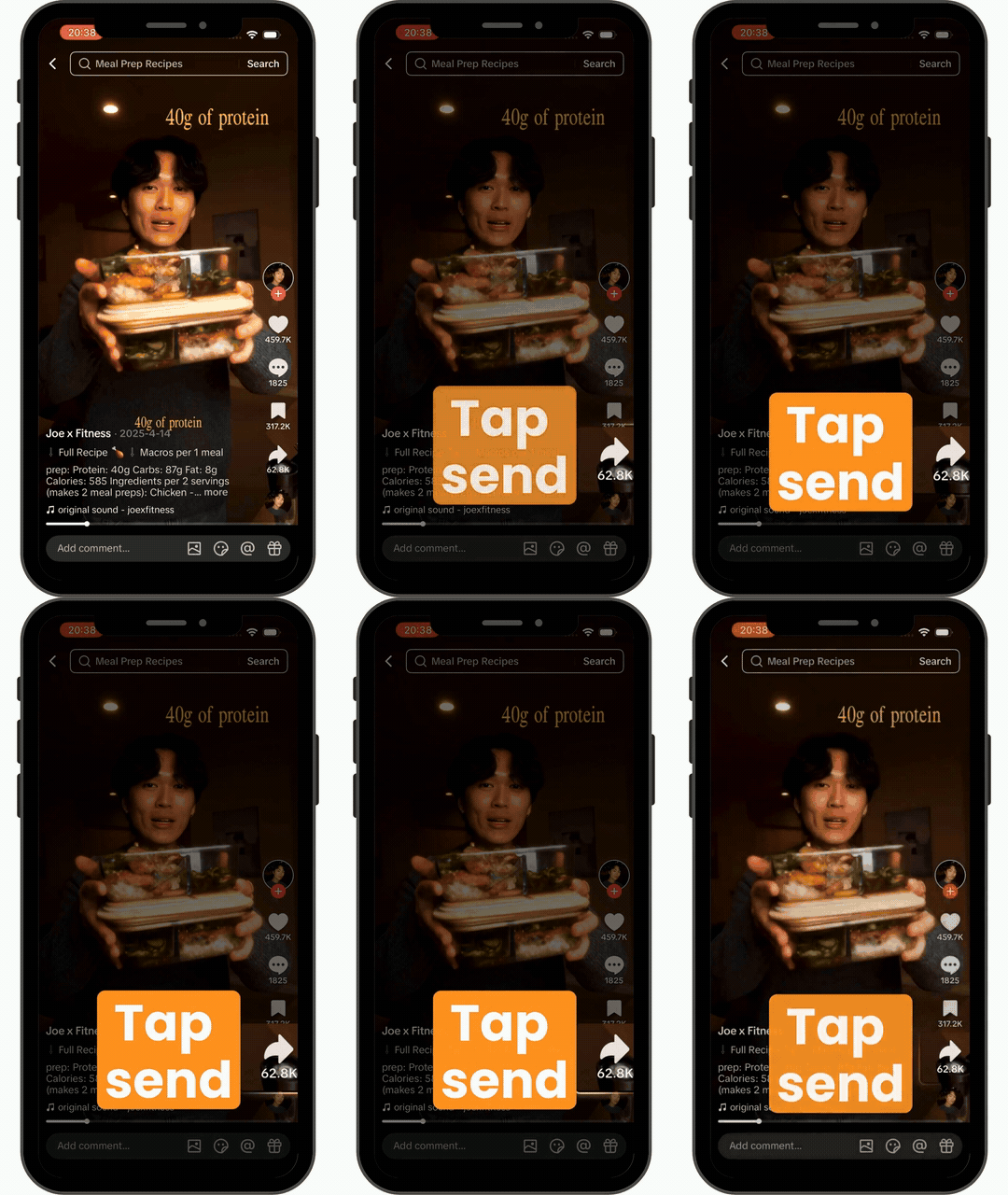
Step 2
Scroll to More.
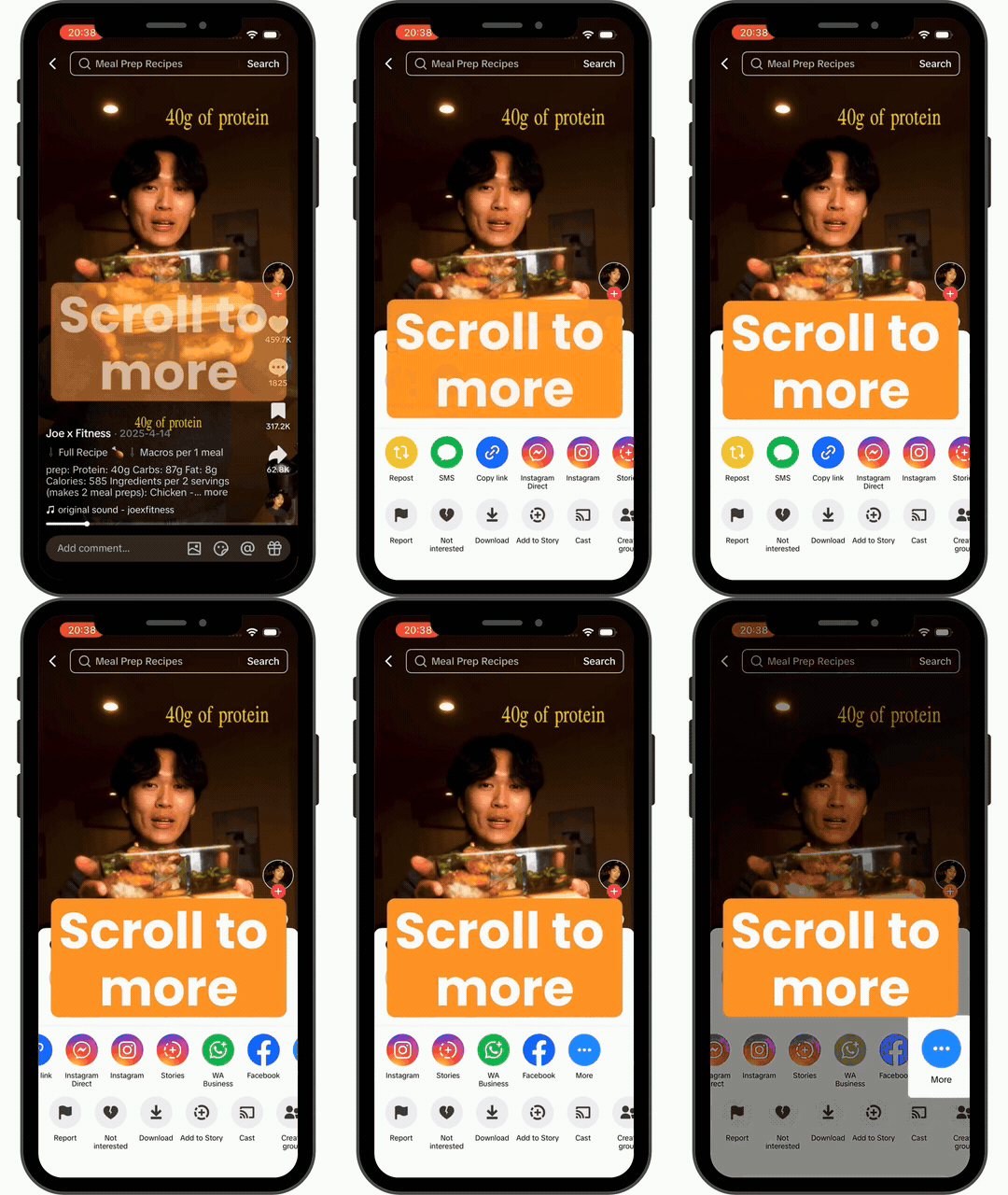
Step 3
Tap on Edit.
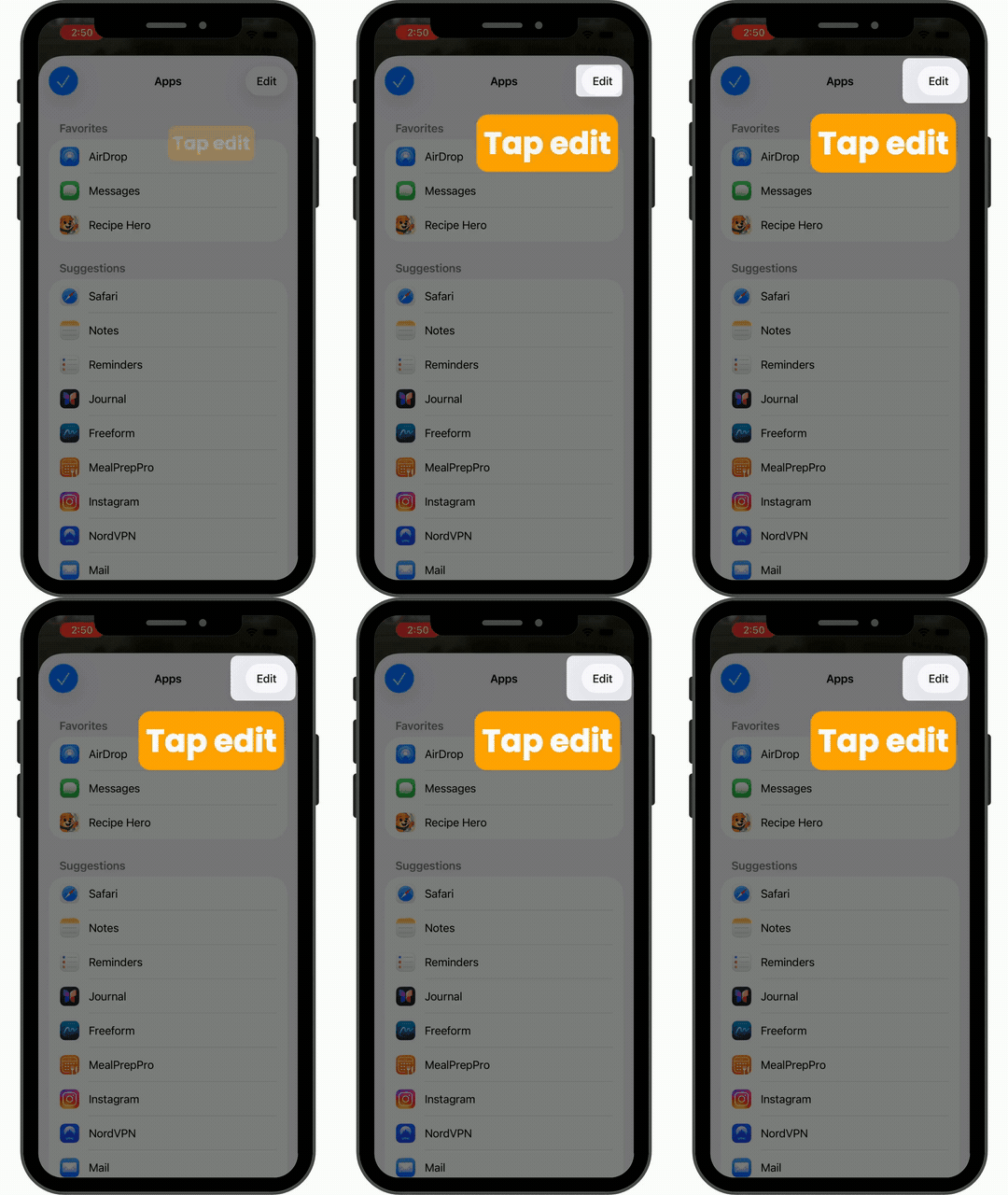
Step 4
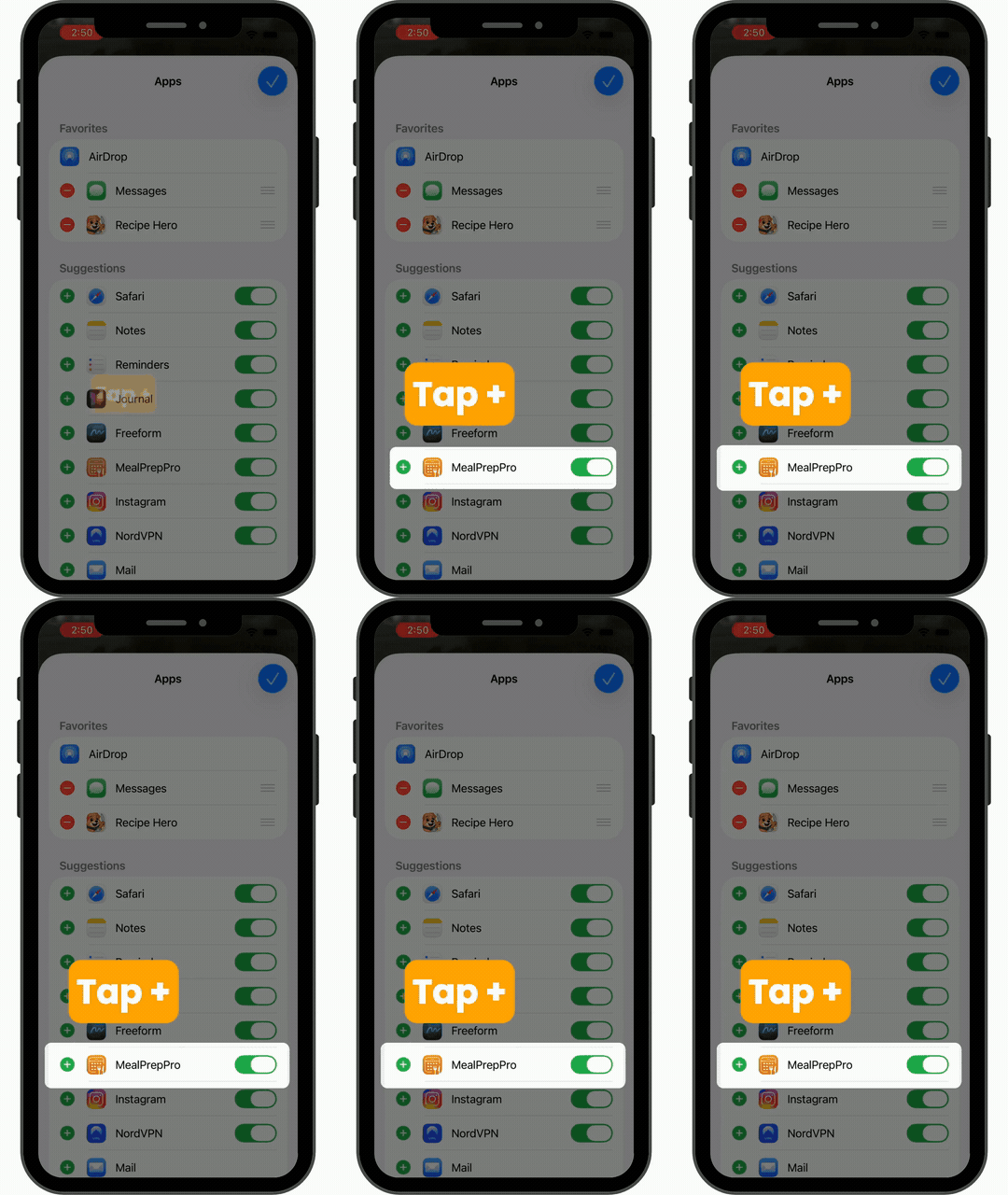
Tap on the plus sign next to MealPrepPro.
Step 5
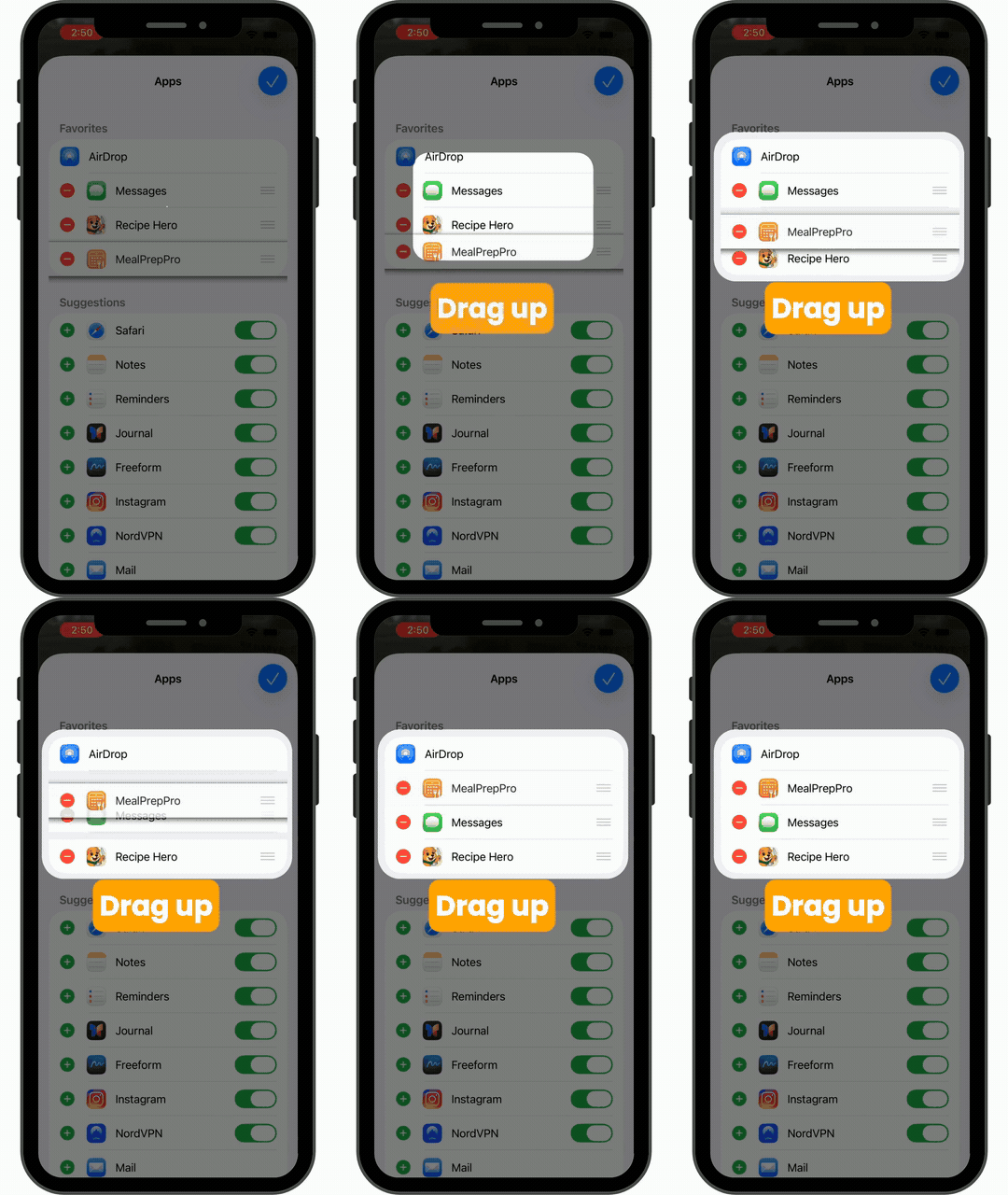
Drag MealPrepPro up towards the top of the list.
Step 6
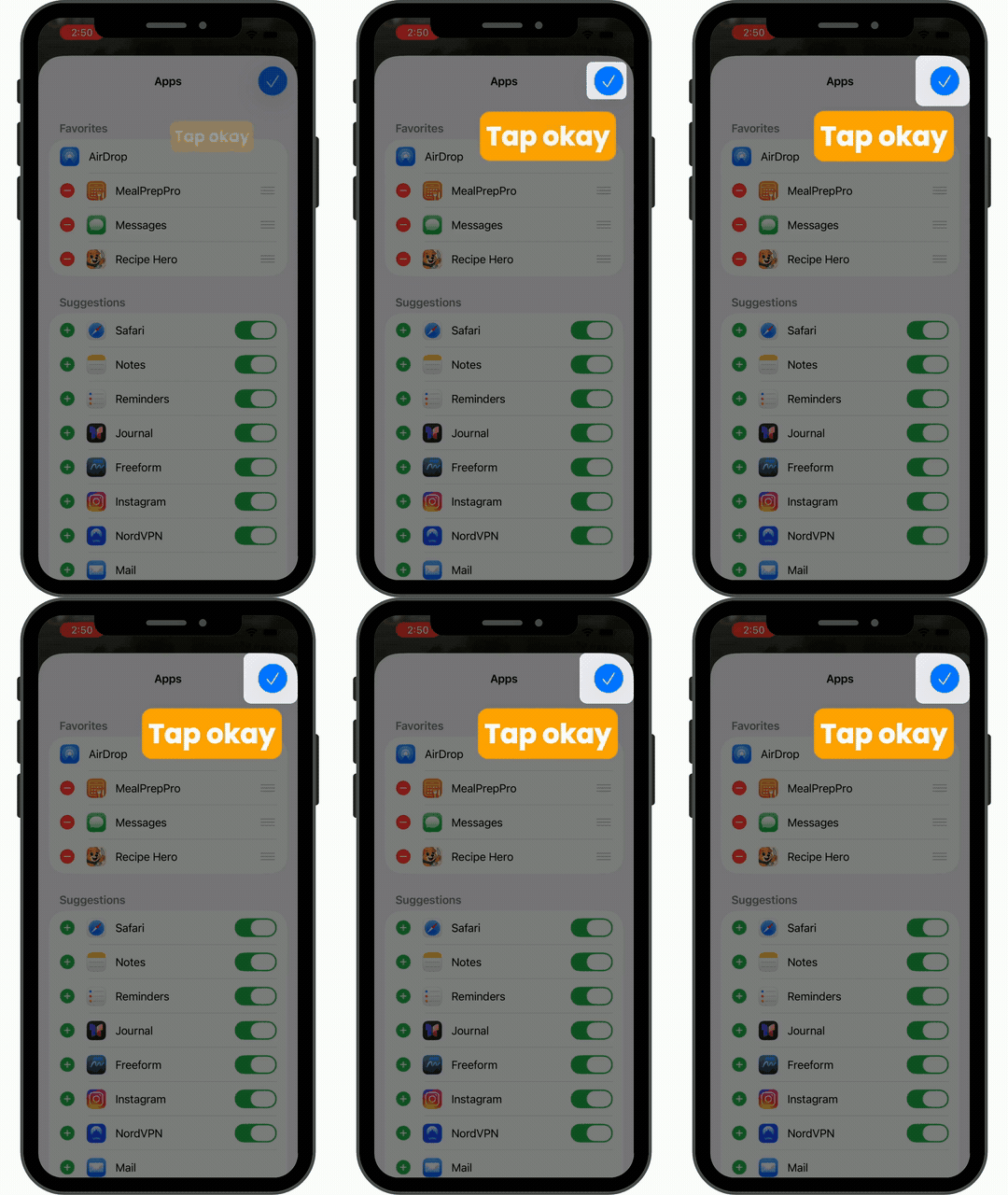
Tap on the check mark on the right to close.
Step 7
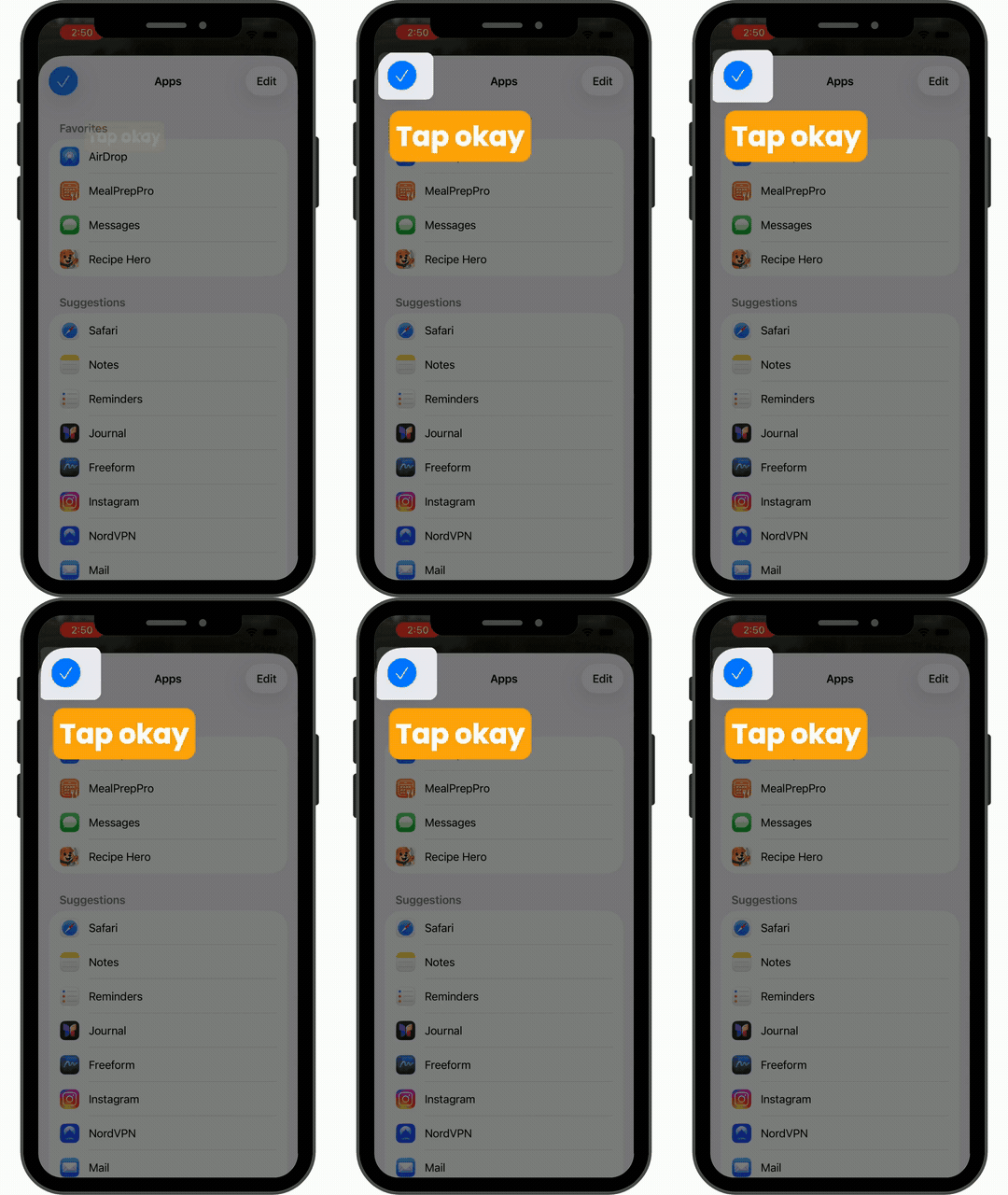
Then tap the one on the left to confirm.
Step 8
Now you're ready to import!