
To make life easier MealPrepPro includes a smart shopping list.
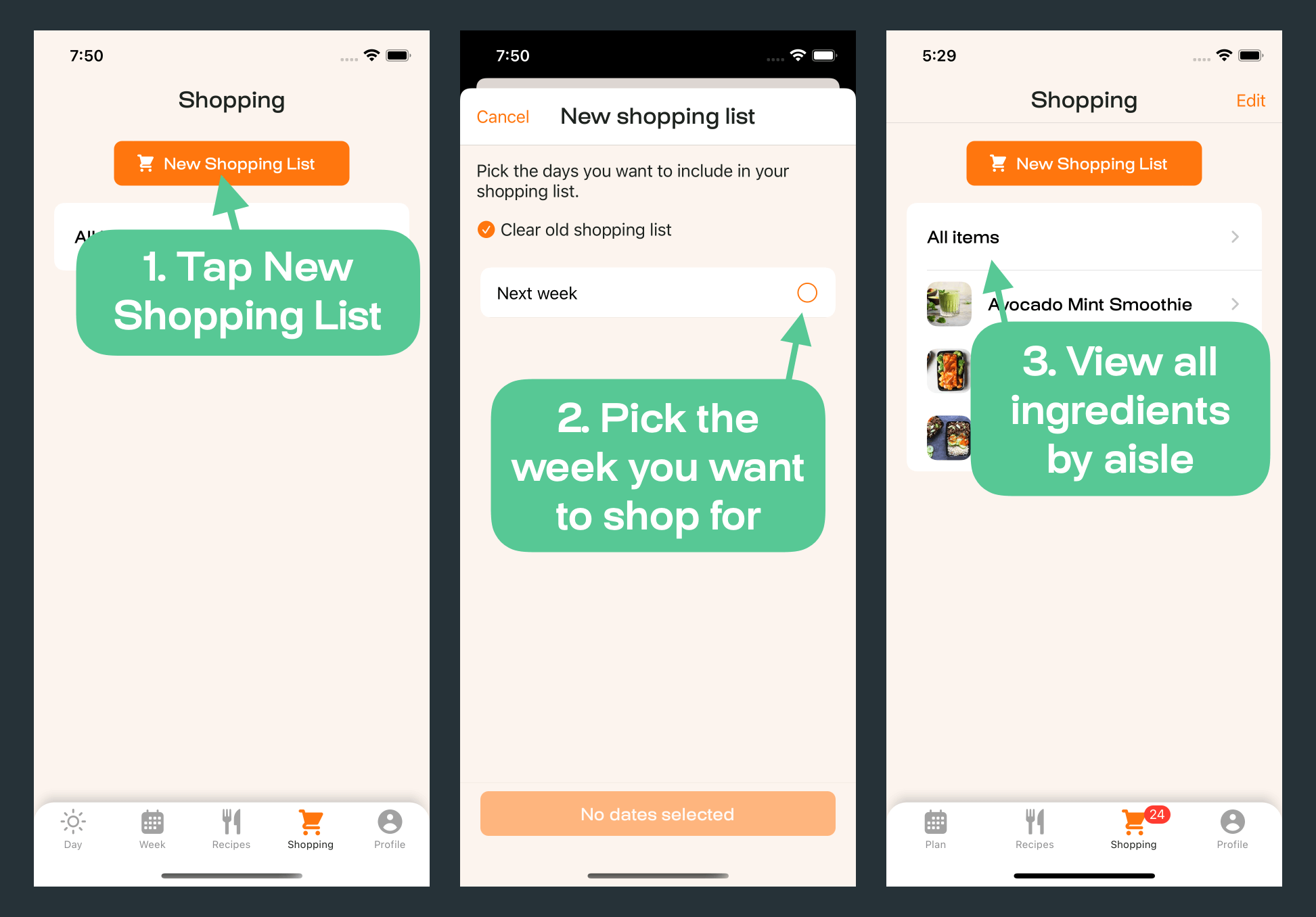
Before hitting the grocery store, check through your pantry as you may already have some of the items on the shopping list.
To add your own items to the shopping list, tap the + button.
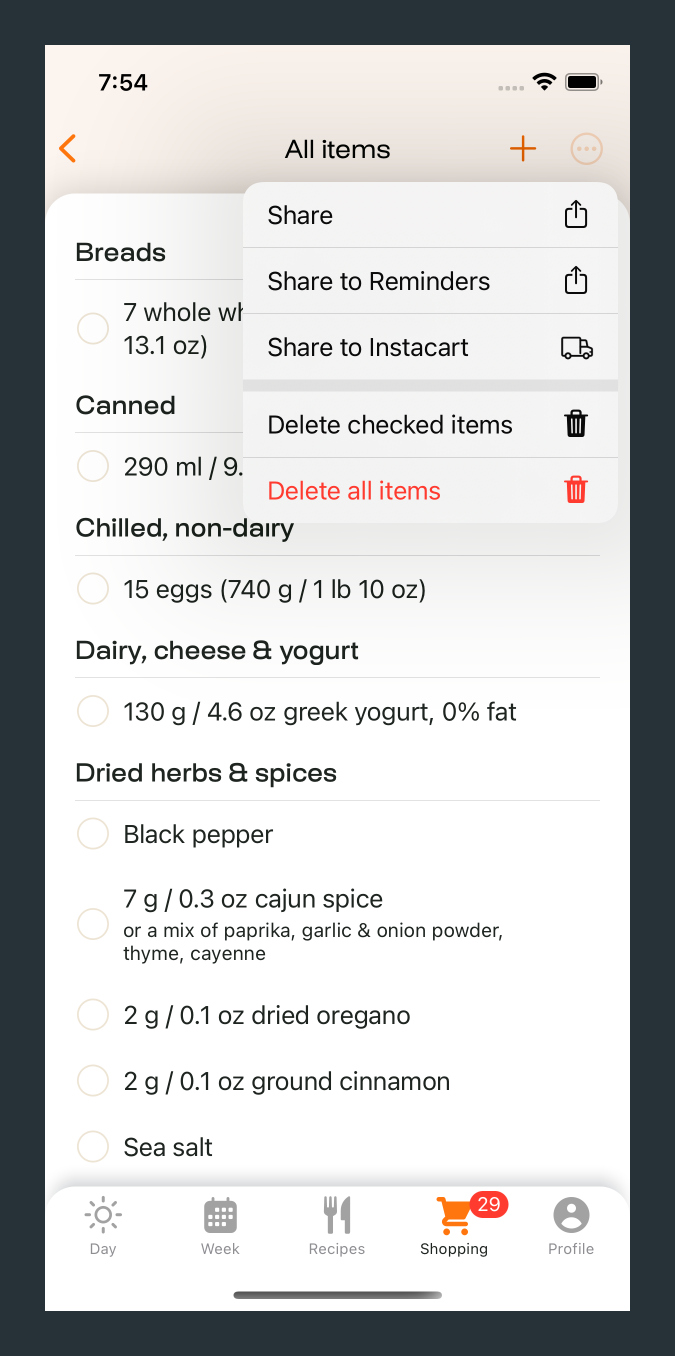
Tap on the circle with the three dots to:
Share your shopping list
Export your list to the Apple Reminders app
Export your shopping to Instacart (US and Canada) or Amazon Fresh (US and UK)
Delete the list
Tip: You can also swipe on any items in your shopping list to delete them.